conmcp
conmcp is an open-source MCP server that reads commercial construction plan PDFs and produces takeoff-ready structured output. Point any MCP client at it, hand it a plan set, and the client's LLM can orient itself in the drawings, find the scope, pull quantities, and build a takeoff you can drop into a bid workflow.
It's built by a working estimator (37 years in construction, currently estimating Division
32 fencing), so the tools chase the things estimators actually chase: sheet indexes,
quantity callouts like 450 LF - 6' HIGH CHAIN LINK FENCE, gate schedules, post spacing
notes, and the scope traps that lose money when you miss them.
Vision-first, by design
Construction drawings carry most of their information graphically. Text extraction alone misses the fence line that changes height mid-run, the gate symbol tucked behind a building, the graphic scale bar. So conmcp splits the work:
┌─────────────────────────────────┐         ┌─────────────────────────────────┐
│  Your MCP client                │   MCP   │  conmcp server (runs locally)   │
│  (Claude Desktop, Claude Code,  │  stdio  │                                 │
│  Cursor, any MCP client)        │◄───────►│  Deterministic extraction:      │
│                                 │         │   • sheet index & disciplines   │
│  The client's LLM does the      │         │   • page text & keyword search  │
│  vision: reads rendered sheets, │         │   • quantity-callout patterns   │
│  measures against the scale,    │         │   • ruled tables (schedules)    │
│  counts gates, builds the       │         │   • page → PNG rendering        │
│  takeoff                        │         │   • domain playbooks & schema   │
└─────────────────────────────────┘         └─────────────────────────────────┘
- The server does the deterministic work: opening PDFs, indexing sheets, searching pages, extracting tables, pattern-matching quantity callouts, rendering sheets as images, and validating the final takeoff against a strict schema.
- The client's LLM does the visual reasoning: reading rendered drawings, following fence linetypes, counting gate symbols, cross-checking schedules against plan views — guided by construction-domain playbooks the server provides.
The server never calls an LLM itself in v0.1. That means it works with any MCP client and any model — Claude in Claude Desktop or Claude Code, whatever model Cursor is running, or a local vision model behind a custom agent. Your plans stay on your machine as far as conmcp is concerned; see Privacy & safety for the full picture.
Who it's for
- Estimators and contractors who bid off PDF plan sets and want an AI assistant that actually understands title blocks, schedules, and scope exclusions.
- Fence contractors specifically — v0.1 ships a field-tested fence & gate takeoff
playbook (the
fence_takeoffprompt), plus sitework and general profiles. - Developers building estimating or construction-tech tools who want a clean, local-first plan-reading layer over MCP.
What's in the box
- 8 MCP tools: plan overview, page search, page text, page rendering (PNG), table extraction, quantity-callout extraction, takeoff playbooks, and takeoff report generation. See the tool reference.
- A guided
fence_takeoffprompt that walks the client LLM through a complete fence & gate takeoff, gotchas included. - A strict takeoff schema (Pydantic) with confidence scores,
needs_reviewflags, and exports to Markdown, CSV, and contractor-bid-compatible JSON. See the takeoff schema. - A CLI companion (
conmcp overview,search,quantities,tables,render,report, and more) so you can poke at a plan set without an LLM in the loop. - A path sandbox and audit log — plan sets are confidential bid documents, and the server treats them that way. See Privacy & safety.
- A synthetic sample plan generator so you can try everything without a real plan set (and file bug reports without leaking one).
What it works on
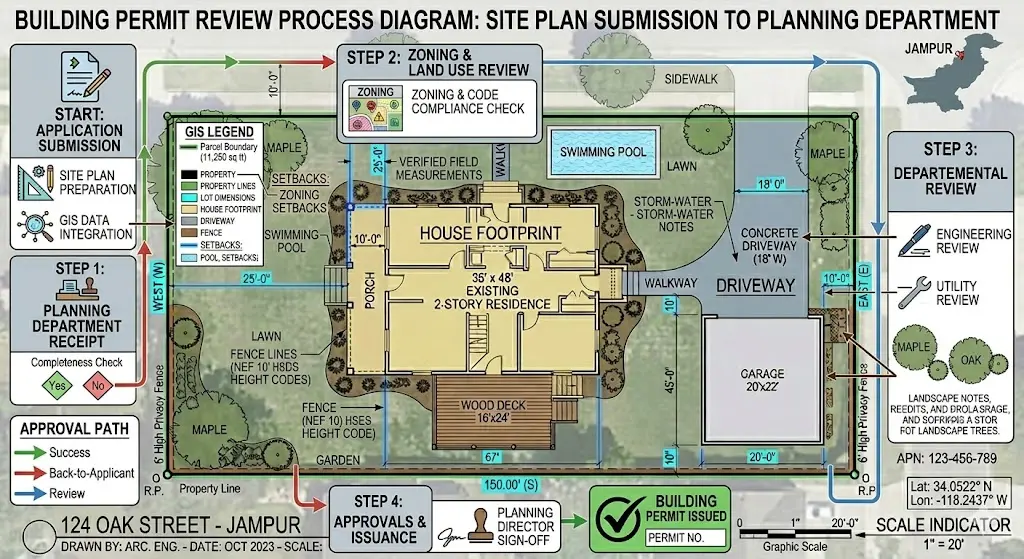
The kind of input conmcp targets — commercial site plans with fence scope:
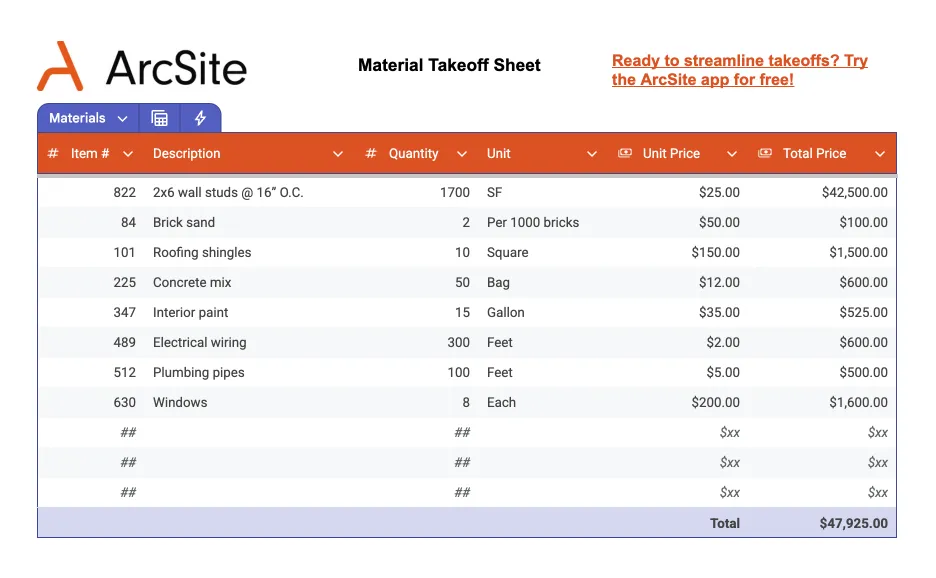
And the kind of output the workflow drives toward — a takeoff-ready quantity sheet:
Quick links
- Installation — uv, pipx, or pip, straight from GitHub
- Quickstart — sample plan to finished takeoff in 5 minutes
- Connecting MCP clients — Claude Desktop, Claude Code, Cursor, and generic stdio config
- Tools & prompts — full reference for all 8 tools and the
fence_takeoffprompt - Roadmap — what's shipped in v0.1 and what's next
This is a bidding aid, not a bid
Every takeoff item carries a confidence score and a needs_review flag, and the
playbooks tell the model to be conservative. A human estimator checks the output
before money rides on it. That's the design, not a disclaimer.